
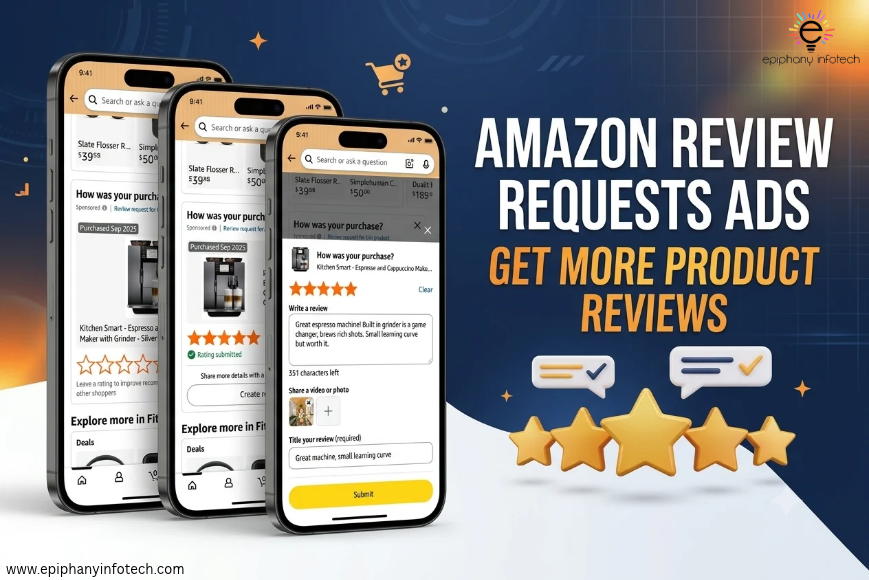
Amazon has introduced Review Requests, a new advertising feature that helps sellers collect product reviews from verified purchasers. Now in open beta in the US, it allows eligible sellers and vendors to encourage customers to share star ratings or written feedback. During its early US closed-beta test (June 3-21, 2026), participating products received three times as many ratings and reviews per week.
What Are Amazon Review Requests Ads?
Amazon Review Requests Ads is an advertising solution that helps sellers collect product reviews from customers who have recently purchased their products. Sellers can use these campaigns to invite verified purchasers to share their experiences while shopping on Amazon. Customers can submit a star rating with a single tap or add a written review with an optional photo or video. These invitations appear as native review prompts on Amazon, without requiring sellers to create separate ad creatives.
The feature uses paid advertising to encourage genuine feedback, not guaranteed positive reviews. Customers can share honest experiences, whether positive or negative, and all submissions remain subject to Amazon’s review policies. Sellers should follow Amazon’s review policies, which prohibit incentives or attempts to influence favourable reviews. This gives sellers another way to build their product review history while helping shoppers understand previous buyers’ experiences.
How Do Amazon Review Requests Ads Work?
Sellers don’t need to select individual customers, set audience filters, or choose targeting keywords. Amazon handles targeting automatically, identifying customers who recently purchased products included in the campaign. When an invitation appears, customers can submit a star rating with one tap or add a written review with an optional photo or video. They decide whether to respond and what feedback to share. Amazon processes submissions under its review policies to maintain authentic customer feedback. You can learn more about how Amazon Review Requests helps sellers get product reviews faster.
Campaign setup involves selecting eligible products and managing bids and budgets, while Amazon takes care of identifying potential reviewers and delivering invitations. Sellers cannot manually control which specific buyers receive them. Effective product listing optimization can also help ensure shoppers find clear and accurate product information when visiting a product page.
Who Can Use Amazon Review Requests Ads?
Amazon Review Requests Ads is currently available in the United States marketplace through an open beta. It is designed for registered Amazon sellers and vendors who have an eligible Amazon Ads Agent account. To participate, the advertising account must be in good standing and have no active policy violations. Sellers also need access to Amazon’s supported campaign creation options, either through Amazon Ads Agent or the Amazon Ads Unified API.
Product eligibility is another important requirement. A product must have fewer than 1,000 total ratings and reviews to qualify for a campaign. Amazon checks this requirement both when the campaign is created and while it is running. If a product reaches the 1,000-rating-and-review threshold, its Review Requests campaign pauses automatically.
Here is a breakdown of the main eligibility requirements:
|
Eligibility factor |
Requirement |
|
Marketplace |
United States |
|
Seller type |
Registered sellers and vendors |
|
Account status |
Amazon Ads Agent account in good standing |
|
Policy compliance |
No active policy violations |
|
Product eligibility |
Fewer than 1,000 total ratings and reviews |
|
Campaign access |
Amazon Ads Agent or Amazon Ads Unified API |
One point worth noting is that meeting the account and product requirements does not mean the feature is available in every marketplace. Amazon currently lists the US as the available market, with additional marketplaces planned for future releases. It has not announced specific international rollout dates.
How to Create an Amazon Review Requests Campaign
Amazon Review Requests campaigns are created through Amazon Ads Agent. The setup process involves selecting eligible products, configuring your bid and budget, and choosing when the campaign should run. Follow these steps to get started.
Step 1: Sign in to Amazon Ads Agent
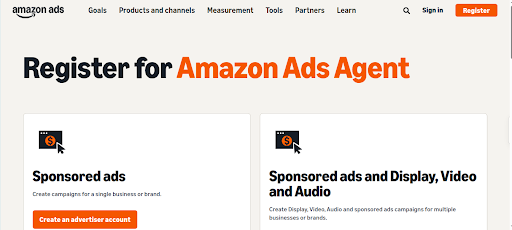
Register for an Amazon Ads Agent account or sign in to your existing advertising account.
Step 2: Select Create Campaign
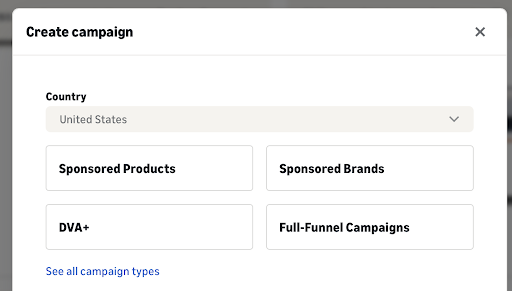
Open the navigation menu and click Create Campaign to access the available advertising options.
Step 3: Choose Review Requests
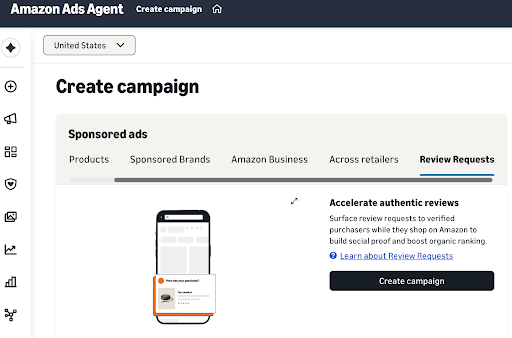
Under the Sponsored Ads card, select the Review Requests tab and click Create Campaign.
Step 4: Add eligible products
Give your ad group a name, then add the products you want to collect reviews for. Amazon allows you to find products using the Search, Enter List, or Upload options. Click Add beside each eligible product you want to include. Products added to the campaign are grouped into the same ad group.
Step 5: Set your bid and campaign budget
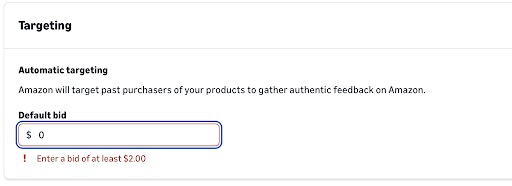
Enter your default bid, which determines how much you’re willing to pay when a customer clicks to submit a rating or review. Next, add a campaign name and set your daily budget. The campaign name is for your own reference and isn’t displayed to customers.
Step 6: Choose campaign dates and launch
Select the campaign’s start and end dates, review your settings, and click Launch Campaign. If you aren’t ready to start, you can save the setup as a draft and return to it later.
Once launched, the campaign may take up to one hour to process before it becomes eligible to receive impressions. You can then monitor its performance through Campaign Manager.
For the complete setup instructions, refer to Amazon’s official guide: Create a Review Requests Campaign.
How Much Do Amazon Review Requests Ads Cost?
Amazon Review Requests Ads uses a cost-per-click (CPC) pricing model, meaning sellers pay when customers click an invitation to submit a rating or review, not when it is displayed. During campaign setup, sellers set a default bid and daily budget to control their advertising spend. Actual costs depend on customer clicks and the bid amount, and sellers can monitor CPC, total spend, clicks, ratings-only reviews, and written reviews through Amazon Ads Agent.
Amazon does not charge a fixed amount per review received, and a click doesn’t guarantee a completed review. Campaign costs and results therefore vary. Sellers managing multiple campaigns can also use professional Amazon advertising management to monitor spending and optimise campaign performance.
What Results Can Sellers Expect From Review Requests Ads?
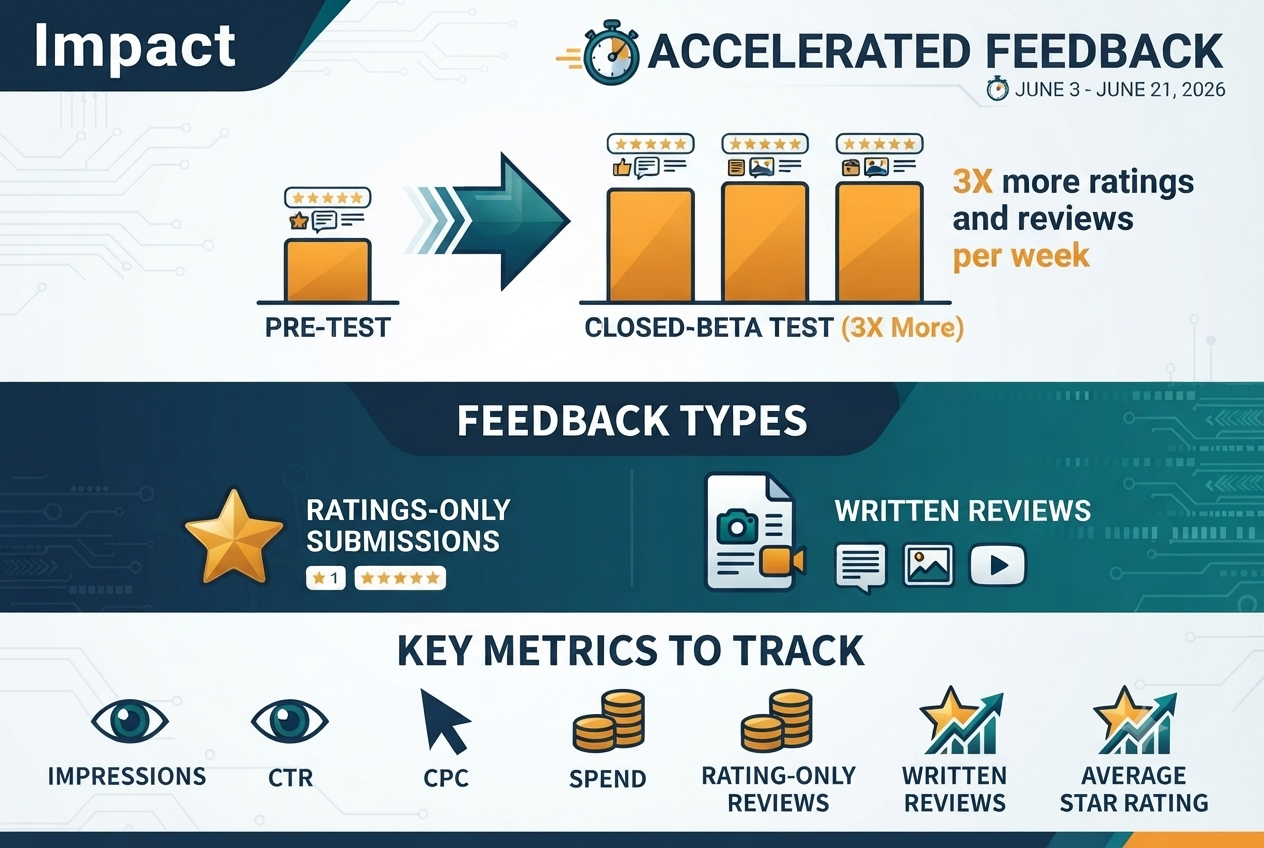
During its early US closed-beta test, Amazon reported that participating products received three times as many ratings and reviews per week compared with the period before testing. The test ran from June 3 to June 21, 2026. However, this result doesn’t guarantee similar outcomes for every seller.
Customers can submit two types of feedback:
- Ratings-only submissions: A star rating without written feedback.
- Written reviews: Detailed feedback, with optional photos or videos.
Sellers can monitor campaign performance using these key metrics:
Key Metrics to Track in Amazon Review Requests Campaigns
|
Metric |
What it measures |
|
Impressions |
Number of campaign displays |
|
CTR |
Clicks relative to impressions |
|
CPC |
Average cost per click |
|
Spend |
Total campaign expenditure |
|
Ratings-only reviews |
Star ratings without written feedback |
|
Written reviews |
Written customer feedback |
|
Average star rating |
Average rating received |
These metrics help sellers evaluate campaign engagement, advertising costs, and the feedback collected.
Review Requests Ads vs. Amazon's Free Request a Review Feature
Amazon offers sellers two ways to encourage customer feedback: the paid Review Requests Ads campaign and the free Request a Review feature in Seller Central. Both aim to collect genuine customer feedback, but they differ in how invitations are sent and managed.
- Review Requests Ads: Sellers create paid advertising campaigns, set bids and daily budgets, and let Amazon automatically target eligible customers who purchased the advertised products. Invitations can appear while customers shop on Amazon.
- Request a Review: Sellers manually select an eligible order in Seller Central and click the Request a Review button. Amazon then sends a standardised email asking the customer for a product review and seller feedback.
The main differences are:
|
Feature |
Review Requests Ads |
Request a Review |
|
Cost |
Paid CPC advertising |
Free |
|
Request method |
Automated ad invitations |
Seller-initiated email |
|
Targeting |
Automatic |
Selected eligible orders |
|
Timing |
7–150 days after delivery |
5–30 days after delivery |
|
Budget |
Requires a bid and daily budget |
No advertising budget |
For sellers who want to manage individual order requests without advertising expenses, Amazon’s free Request a Review feature is a practical option. Those looking to reach eligible purchasers through paid advertising can consider Review Requests Ads as another approach.
What Should Sellers Consider Before Using Review Requests Ads?
Before launching an Amazon Review Requests campaign, sellers should consider a few factors to decide whether it fits their product and budget.
- Product sales and review count: Products need fewer than 1,000 total ratings and reviews to qualify. Consider whether the product has enough recent purchases to make a campaign worthwhile.
- Campaign budget: Set bids and daily budgets that align with your advertising goals. Monitor CPC and total spend to understand how efficiently the campaign is performing.
- Product listing quality: Make sure titles, images, descriptions, and product details accurately represent what customers receive. Clear information helps set realistic expectations.
- Review policy compliance: Allow customers to share honest feedback, including negative reviews. Never offer incentives, request positive reviews, or attempt to influence customer ratings. Make sure your review management practices follow Amazon’s guidelines.
- Overall review strategy: Consider whether paid Review Requests Ads complement your existing approach, including Amazon’s free Request a Review feature.
Review Requests Ads can support your Amazon review collection efforts, but they cannot replace product quality or a good customer experience. Focus on delivering a product that meets customer expectations and use campaign reporting to assess whether the advertising spend is worthwhile.
Conclusion
Amazon Review Requests Ads gives sellers another way to collect genuine customer feedback through paid advertising. With automated targeting, one-tap ratings, and optional written reviews, the feature can help eligible sellers build their product review history. Although access is currently limited to the US marketplace and products must have fewer than 1,000 total ratings and reviews, it offers a new opportunity for sellers to strengthen their review collection strategy. To make the most of Amazon’s evolving marketplace, businesses should also focus on strong product listings, effective advertising, and account management. Epiphany Infotech provides Amazon SEO, listing optimization, advertising management, and account management services to help sellers strengthen their Amazon presence.
Frequently Asked Questions About Amazon Review Requests
Are Amazon Review Requests Ads available to all sellers?
Review Requests Ads is available to registered Amazon sellers and vendors with an Amazon Ads Agent account in good standing and no active policy violations. However, the open beta is currently limited to the US marketplace. Products must also have fewer than 1,000 total ratings and reviews to qualify.
Is Amazon Review Requests a free feature?
No. Review Requests Ads is a paid advertising solution that charges on a cost-per-click (CPC) basis. Sellers set a bid and daily budget when creating a campaign. Amazon’s separate Request a Review feature in Seller Central is free to use.
Can sellers choose who receives review invitations?
No. Amazon handles targeting automatically based on eligible purchases. Sellers cannot manually select individual customers or customise audience targeting. Invitations can reach customers from 7 to 150 days after delivery.
Can customers leave negative reviews?
Yes. Customers can submit honest feedback reflecting their actual experience, including negative ratings. Sellers cannot edit, hide, or delete reviews collected through the feature. All submissions remain subject to Amazon’s review policies.
What happens when a product reaches 1,000 reviews?
Once a product reaches 1,000 total ratings and reviews, its Review Requests campaign pauses automatically. Sellers can continue using other eligible products in their campaigns, provided those products meet Amazon’s requirements.
Is Amazon Review Requests available outside the US?
Not currently. Amazon has confirmed that the open beta is available in the United States, with additional marketplaces planned for future releases. However, Amazon has not announced specific international launch dates.

Anchal Narang works as a Digital Marketing expert at Epiphany Infotech in India. She specializes in On-page and Off-page SEO, with a particular enthusiasm for Amazon marketing management and PPC marketing. Beyond her professional role, she maintains an insatiable curiosity for the latest digital advertising strategies and technology developments.